This guide explains how to connect your domain to RaccoonSite by updating your DNS settings. These steps apply to any domain provider, including GoDaddy, Cloudflare, Namecheap, and Google Domains.
Before you start
Before adding new DNS records, check your existing settings:
Make sure there are no existing CNAME records for:
@ (root domain)
www
If records already exist, edit them instead of creating new ones
Do not create multiple CNAME records for the same name, as this can cause conflicts
Step 1: Log in to your DNS provider
Log in to the platform where your domain is managed. This is usually:
Your domain registrar
Your hosting provider
Step 2: Find your DNS settings
Locate the DNS management area. This may be labelled:
DNS Management
DNS Settings
Zone Editor
DNS Records
Step 3: Add CNAME records
You need to create two CNAME records to connect your domain to RaccoonSite.
If your provider asks for TTL, leave it as default or set to Auto.
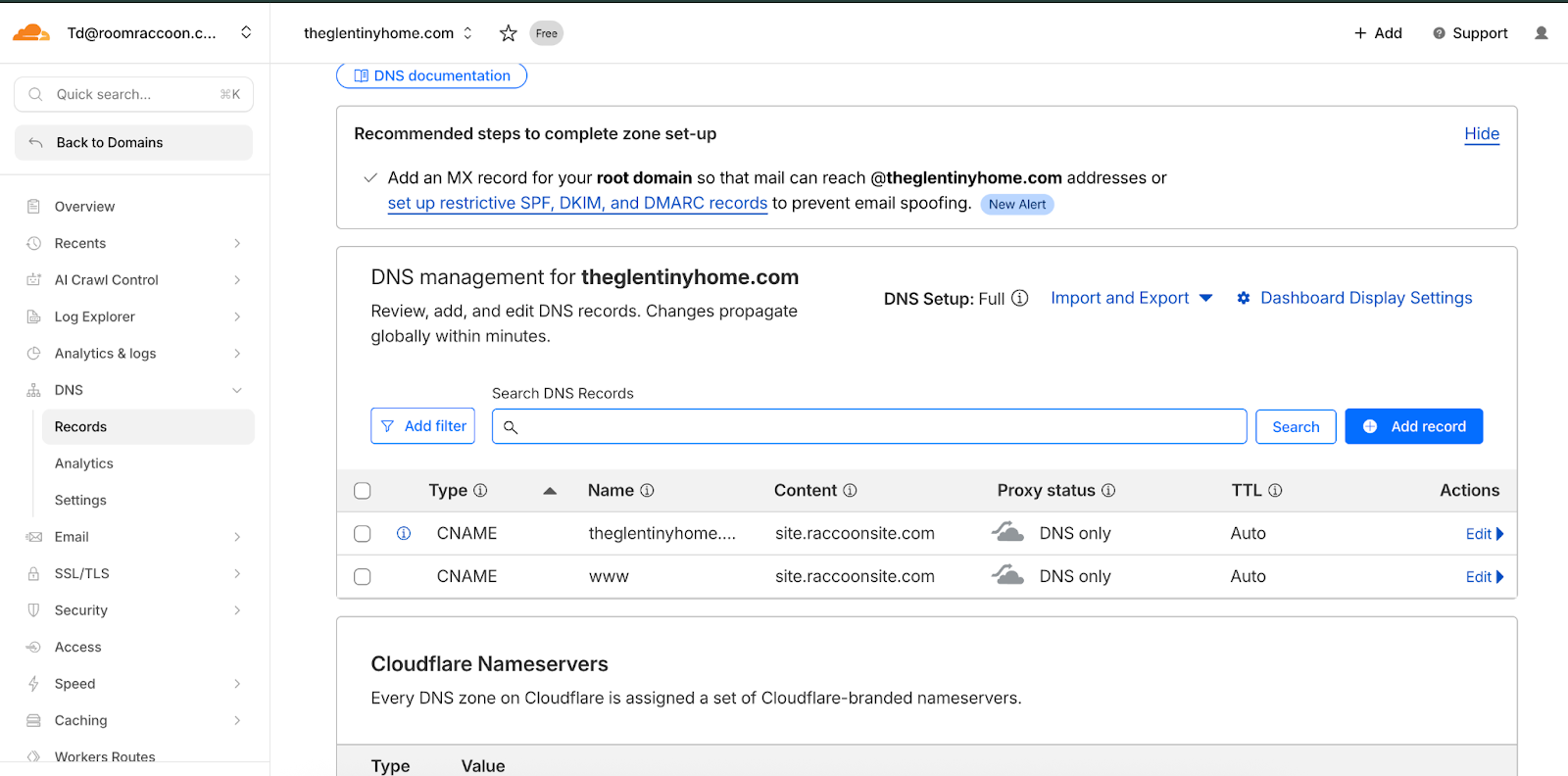
Example Configuration
The screenshot below shows an example of what the DNS records may look like in a DNS management console.
Step 4: Save your changes
Save or confirm the DNS updates in your provider’s system.
Step 5: Wait for DNS propagation
DNS changes usually take effect within a few minutes, but may take up to 24 hours to fully update worldwide.
Need help?
If you are unsure how to update your DNS records:
Contact your domain provider’s support team
Or send us a screenshot of your DNS settings and we will assist you
Was this article helpful?
That’s Great!
Thank you for your feedback
Sorry! We couldn't be helpful
Thank you for your feedback
Feedback sent
We appreciate your effort and will try to fix the article